For lora vs wifi for boat telemetry, the deciding factor is payload size against distance. LoRa wins for small packets crossing kilometres to a shore gateway on a solar budget; WiFi wins for images, firmware and dock-side access inside roughly 100 metres. Most boats end up running both.
A GPS fix, a bilge float switch and a battery voltage fit in about twenty bytes. That is the whole conversation when a LoRa node is sitting on a mast for a season with nobody near it. Add a mast camera or an over-the-air update and the math changes completely, because neither fits through a 242-byte cap or a 5 kbit/s pipe.
Most comparisons on this topic stop at the spec sheet and quietly assume the boat sits next to a house. Boats do not. They swing with the tide, they hide behind headlands, and they share a mast with a 50-watt VHF antenna two metres away. The radio choice is really an antenna-placement and power-budget decision that happens to have a protocol attached.
Table of Contents
- LoRa vs WiFi for Boat Telemetry at a Glance
- How LoRa and WiFi differ in boat telemetry
- Range and coverage: LoRa vs WiFi for boat telemetry
- Power consumption and battery life
- Data rate, latency, and payload size
- Reliability, security, and network availability
- Installation, cost, and maintenance considerations
- Which should you choose for a boat?
- Frequently Asked Questions
- Is LoRa better than Wi-Fi for offshore boat telemetry?
- Can LoRa telemetry work without cellular or internet service?
- How often should a boat send GPS and sensor data?
- Which is more reliable for a small sailing robot?
- Can LoRa and Wi-Fi be used together on the same boat?
- Should a first marine telemetry prototype use LoRa or Wi-Fi?
- Conclusion
LoRa vs WiFi for Boat Telemetry at a Glance
| Criterion | LoRa | WiFi |
|---|---|---|
| Realistic range over open water | 1 to 15 km from a shore gateway, more with antenna height | 30 to 100 m from an access point; directional gear can reach further |
| Frequency band | Sub-GHz ISM: 868 MHz EU, 915 MHz US, AS923 in parts of Asia | 2.4 GHz (802.11b/g/n/ac/ax), plus 5 GHz and 6 GHz variants |
| Peak data rate | Around 5 kbit/s at SF7 down to a few hundred bit/s at SF12 | Tens of Mbit/s in practice, hundreds on paper |
| Payload per message | 11 to 242 bytes depending on band and spreading factor | Full TCP/IP, effectively unlimited in bulk |
| Current while transmitting | Typically 20 to 60 mA at 14 to 20 dBm | 150 mA to 500 mA while associated, depending on chip |
| Sleep current | Under 10 microamps on current parts | 10 to 50 microamps in deep sleep, but association must be repeated |
| Battery life on a small cell | Often years, limited mainly by cell self-discharge | Days to weeks unless the vessel has a house bank or solar |
| Needs a shore unit | Yes: a gateway at your house, dock or mast | Yes: a router or hotspot within metres |
| Needs internet at the boat | No. Store and forward works fine | Yes for real traffic, no for a local-only link |
| Addressing | Application session keys, not IP, unless you add one | Full IP, DHCP, TLS, MQTT straight out of the box |
| Ongoing cost | Nothing on a private network, or a small subscription on a public one | Nothing for a local link, plus a data plan for a shore-facing one |
| Best marine use | Moored drift alerts, mast weather stations, engine hours, leak and bilge sensors, buoy reporting | Camera snapshots, dock firmware updates, live streaming to crew devices |
| Weakest marine use | Anything with a picture, a log file or a big burst | Anything that has to work past an anchorage or out of sight of land |
Short version: choose LoRa for long-range, low-power sensor reporting. Choose WiFi for high-bandwidth work in close range, or as an onboard LAN between instruments and a crew tablet.
How LoRa and WiFi differ in boat telemetry
What LoRa actually is on a boat
LoRa is a radio modulation, not a network. It sends small packets on a chirp spread spectrum signal in a sub-GHz unlicensed band, trading data rate for reach. LoRaWAN is the network layer that sits on top: device, gateway, network server, application.
On a boat that distinction matters because you have options. A private setup is one LoRa node on the mast, one gateway at the house or on the dock roof, and a backend such as ChirpStack or The Things Network. There is no carrier and no monthly bill, and the boat does not need an internet connection at all.
Every frame carries a payload with position, voltage, temperature and a sequence number, then the node sleeps. A typical Class A device opens two short receive windows after each uplink to catch a downlink, then goes back to sleep for the rest of the interval.
What WiFi actually means on a boat
Two very different things get called WiFi. The first is the crew hotspot, usually a phone or a marine router near the helm with a SIM and a couple of antennas. That is internet service for people, and almost no telemetry should depend on it.
The second is machine-to-machine WiFi: an ESP32-class module joining a router you own, at the dock or in the marina, pushing MQTT to a server. That is genuinely useful, and it is how firmware updates and camera snapshots usually get done. It just has a short leash.
Worth knowing: WiFi HaLow, or 802.11ah, is the sub-GHz relative of WiFi. It keeps the IP stack and the WiFi brand while moving down to 868 or 915 MHz for roughly kilometre-scale links. It fills the gap between LoRa and full WiFi, and it is the option most comparisons skip.
Range and coverage: LoRa vs WiFi for boat telemetry
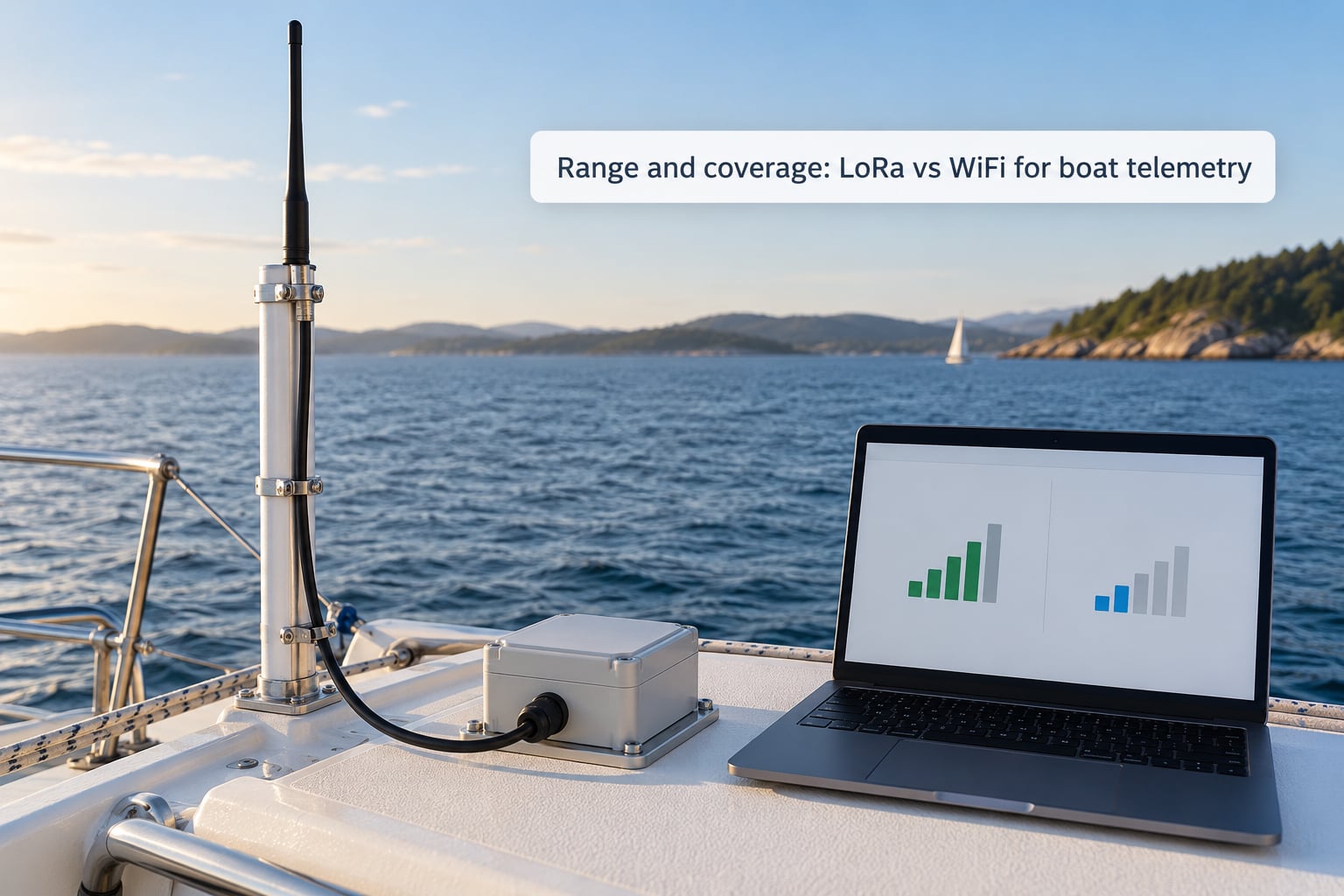
Over water, range is governed by geometry more than by the protocol. Two antennas see each other out to their radio horizon, which depends almost entirely on how high they sit. Using the standard formula, distance in kilometres is about 4.12 times the sum of the square roots of the two heights in metres.
A shore gateway antenna at 10 m and a boat mast antenna at 3 m gives roughly 20 km of horizon. Put the boat antenna up at 10 m and you get about 26 km. Drop the boat antenna inside the cabin at 2 m and it falls to about 18 km. Those numbers are horizon limits, not guaranteed link distances, and the 4/3-earth correction for atmospheric refraction pushes them out around 40% further.
Propagation loss over seawater is close to free space, and the free space path loss at 915 MHz works out to about 112 dB at 10 km. Sea water is a poor conductor at these frequencies, so the path itself is friendly. That is the good news. The bad news is that every metal thing on the boat is in the way.
Hulls, cabins, stainless rails and radar domes attenuate and scatter. A cabin-mounted node loses several dB before the signal even reaches the antenna, and a WiFi access point under a canvas dodger or inside a locker is effectively a very expensive paperweight. Put the antenna above the deck on a mast or a pole, as far from the VHF and AIS antennas as you can manage.
That last point is a real installer problem, not a theoretical one. A thread on r/amateurradio asks exactly this: how to run a 915 MHz link from a house to a boat when the VHF antenna is already on the same small mast. A VHF transmitter running tens of watts next to a sub-GHz receiver can desensitise it badly, and the fix is separation distance, height difference and a bandpass filter rather than anything clever in firmware.
On the WiFi side, the practical numbers are much smaller. Line-of-sight 2.4 GHz across open water from a shore router is a few hundred metres at best, and in a marina with hulls and pontoons in the way it drops fast. Weather matters more too: water absorbs 2.4 GHz on a humid or foggy day, and salt spray near the surface degrades both bands.
How to estimate practical range for LoRa vs WiFi on your boat
Start with the horizon number above, then subtract your realistic margin. Budget roughly 20 dB for hull and cabin loss, and another 10 dB for interference and fading. If the free space path loss at your distance is 112 dB and you have a 3 dBi whip plus a 6 dBi shore antenna, your link budget is 116 dB, which clears the usual LoRa receiver threshold comfortably at SF9 or better.
Then test rather than model. A cheap SDR dongle, a spare gateway and a weekend at the anchorage will tell you more than a spreadsheet, especially about where the dead zones are behind the shore geometry. For WiFi, walk the boat with a phone and check signal strength at both the masthead and the cabin before you drill anything.
Power consumption and battery life
LoRa nodes sleep at under 10 microamps and spend a fraction of a second transmitting. A sensor node reporting every fifteen minutes, with a GNSS fix each cycle, burns on the order of half a milliamp-hour per day. A 2400 mAh cell then lasts years, and what actually ends it is cell self-discharge and salt corrosion, not the radio.
WiFi behaves differently because association is the expensive part. Waking, scanning, joining and reconnecting to an access point draws hundreds of milliamps for several seconds. That is manageable if you only connect occasionally. It is not manageable if the radio stays associated, where a typical module can hold tens of milliamps continuously, and on a 12 volt system that quietly becomes close to half a watt of constant draw.
The failed-connection case matters more on WiFi. A link that keeps dropping retries, retries again and burns through a small solar budget in days, while a LoRa node that misses a few uplinks just retries on the next interval. On a moored boat nobody visits, that difference decides whether the install still works in October.
Sizing a solar-powered LoRa mast node
Take a node drawing 2 milliamp-hours per day and you are designing for about 0.07 watts average. A one watt panel in real conditions delivers a few watt-hours a day after losses, so a one watt panel carries it with a wide margin. Most builders land on 5 watts anyway, because clouds in autumn cut output hard and nobody wants to fly a mast twice a year.
Pair that with a 6 amp-hour battery. Five watts gives you roughly 20 watt-hours a day in usable terms, and a 6 amp-hour pack holds about 23 watt-hours, so several overcast days pass without the node dropping into brownout. Add a charge controller with a proper low-voltage cutoff and a conformal-coated or potted enclosure, and the whole thing can sit on a mast for years.
Use a house bank or a vessel with a solar array already installed and WiFi stops being a power question entirely. It becomes a coverage question instead.
Data rate, latency, and payload size
Count the bytes before you pick the radio. A packed telemetry frame with four-byte latitude and longitude, a two-byte voltage, a one-byte temperature, two-byte sequence and one byte of flags lands around 20 bytes. An NMEA sentence is 70 to 80 bytes if you prefer text. Either fits a LoRa packet several times over.
A single 320 by 240 pixel JPEG snapshot runs to several kilobytes even when badly compressed. Over LoRa at 242 bytes per message that is dozens of packets, and at a low spreading factor each one costs real airtime. On a Europe 868 MHz network under a 1 percent duty cycle, sending photographs is simply not a design that works.
Latency splits the same way. A LoRa uplink reaches the gateway in a fraction of a second and sits in the backend almost immediately, though downlink is deliberately deferred to two short receive windows after the uplink. WiFi is a few milliseconds on a good link and tens of milliseconds on a weak one, but it carries an entire TCP conversation without thinking about it.
Firmware is where WiFi earns its keep. A 500 kB firmware image over LoRa, even split across chunks, is an afternoon of airtime and a lot of battery. Over dock WiFi it is a background task. That asymmetry is why many builders keep sensing on LoRa permanently and use WiFi only when the boat is plugged in.
Reliability, security, and network availability
Both are unlicensed radio links with real security implications, and they fail differently. WiFi on WPA2 or WPA3 with a changed default password is genuinely fine. The common mistakes are leaving the marine router’s default SSID and key, or exposing a management port to the internet instead of to the local network.
LoRaWAN is secure by design at the network layer: each device holds its own session keys, and a captured frame cannot be replayed into a different device. It is still unlicensed spectrum with no physical protection, so treat the aerials as visible and assume a determined person with an SDR and some patience is a possibility on a permanently moored boat.
Availability splits in an interesting way. LoRa on a private network needs nothing at the boat: no SIM, no carrier, no internet. Packets that do not reach a gateway can be stored and sent when conditions improve, which is what you want on a boat sitting outside cell coverage for weeks. WiFi needs an access point present, and any internet-facing variant needs a live data path, which is exactly the link that disappears offshore.
Interference also behaves differently. LoRa hops across channels and uses a high spreading factor, so it shrugs off most congestion and copes well with other sub-GHz gear. WiFi at 2.4 GHz shares a crowded band with everything from neighbouring hotspots to boat electronics that leak RF, and a busy marina is a hostile place for it.
Whichever you pick, protect unattended installs: per-device credentials, signed firmware updates, and a local buffer that survives a power cycle. Report data by exception where you can, so a quiet sensor is quiet rather than repeating every five minutes forever.
Installation, cost, and maintenance considerations
Start with hardware. A LoRa build is a small board, a whip or dome antenna at 868 or 915 MHz, a battery and an enclosure rated at least IP67 with marine-grade connectors. A WiFi build is the same plus a router or modem that expects real power and a decent antenna of its own.
Cost categories rather than amounts, since both shift constantly: LoRa is low capital cost with no recurring fee on a private network, or a modest per-device subscription if you join a public LoRaWAN operator. WiFi is low or moderate capital cost for a local-only link, and moderate to high recurring cost once a shore-facing data plan is involved.
Installation effort tips toward WiFi. It is a familiar router, a familiar password and a familiar dashboard. A LoRa gateway install means choosing a band, positioning an antenna outside, running coax or fixing an Ethernet backhaul, and configuring a backend server.
Band choice is regulatory, not technical preference. Europe uses 868 MHz with duty cycle limits that cap how much you may transmit, commonly 1 percent on the main channels. The United States uses 915 MHz across eight uplink channels with no duty cycle limit, so heavier reporting is easier there. Australia and much of Asia sit in AS923. Running the wrong regional plan is the single most common mistake newcomers make, and it can simply fail to transmit at all.
Maintenance follows from the location. A mast-top node in a salty environment needs an IP67 or better enclosure, stainless fixings, conformal coating on the board and a plug or gland that will not weep. Same for connectors. Vibration near an engine is a real factor too, so fix the board on standoffs rather than letting it sit on solder joints.
Which should you choose for a boat?
- Moored at an anchorage: LoRa. Solar-powered, reporting every ten to fifteen minutes, alerting on movement or a rising bilge level. WiFi has no chance here.
- In a marina with your own dock router: WiFi for the crew and for anything needing a browser or a big file. LoRa still makes sense as a fallback when the marina network is congested.
- Coastal passage inside cell coverage: Cellular LTE-M or NB-IoT is usually the better answer, with WiFi for local work and LoRa for the sensors that must report regardless.
- Offshore beyond cell coverage: LoRa if the distance to your shore gateway is within horizon. Past that, satellite short data such as Iridium SBD, and not WiFi under any circumstances.
- Instrument buoy or coastal station: LoRa, for the same reasons as a moored boat: low power, tiny payloads and no subscription.
When low-rate and high-bandwidth data both matter, run a hybrid. LoRa carries position, voltage, temperature and alerts all the time. WiFi takes over at the dock for snapshots, log downloads and firmware. Plenty of builders also front the whole thing with MQTT and a dashboard such as Grafana or Home Assistant, which is the pattern the Home Assistant forum thread about moored-boat tracking was chasing.
If you want open building blocks, Meshtastic gives LoRa-based mesh text and telemetry for near-field use, ChirpStack and The Things Network handle private LoRaWAN backends, and open radio buoy designs exist for the moored-station case.
Where LoRa genuinely falls short: large payloads, any video, firmware without a dock connection, and geofencing that depends on constant updates. If the mission needs those, add cellular or satellite rather than forcing LoRa to do a job it was not built for. And for finding a drifting boat, the options are a GNSS receiver on board, LoRa time-difference-of-arrival geolocation using three or more gateways, or WiFi network scanning, which only works near populated shores.
Frequently Asked Questions
Is LoRa better than Wi-Fi for offshore boat telemetry?
It depends on distance from a shore gateway and payload size. LoRa reaches roughly 1 to 15 km over water and suits small packets like position and voltage. Wi-Fi reaches about 30 to 100 m and suits images and firmware. Offshore beyond line of sight of any gateway, neither works, and you need satellite.
Can LoRa telemetry work without cellular or internet service?
Yes. A private LoRa setup is a node on the boat, a gateway at your house or dock, and a local server. Nothing in that path needs a SIM, a carrier or an internet connection. Packets that miss a gateway can be stored and sent later, so a boat sitting outside coverage for weeks keeps reporting.
How often should a boat send GPS and sensor data?
While moored, every ten to fifteen minutes is plenty and keeps a small solar node alive for years. Under way, one to five minutes suits tracking. Engine hours, bilge and voltage do not need a position attached and can go out hourly. Report by exception where possible so quiet sensors stay quiet.
Which is more reliable for a small sailing robot?
LoRa, in most cases. A small robot has a tight power budget and no reliable access point, and a LoRa node sleeps at microamp levels between reports. Wi-Fi reconnect loops will flatten a small battery in days. The one exception is a robot operating inside a marina with a known dock router.
Can LoRa and Wi-Fi be used together on the same boat?
Yes, and that is the most common real installation. LoRa handles position, voltage, temperature and alerts continuously on a solar budget. Wi-Fi handles camera snapshots, log downloads and firmware updates when the boat is at the dock. Many builders route both through MQTT into one dashboard.
Should a first marine telemetry prototype use LoRa or Wi-Fi?
Start with LoRa if the payload is a few dozen bytes, because it proves the power budget and the antenna placement without needing shore power or a data plan. Start with Wi-Fi if you need images or browser access. Build the sensor node on LoRa either way, and add Wi-Fi for the dock.
Conclusion
On lora vs wifi for boat telemetry, LoRa handles the small, frequent, off-grid numbers and WiFi handles the big, occasional, close-range jobs, and choosing wrongly costs you either battery life or payload capacity. Map your data rate and coverage requirement first, test antenna placement above the deck and away from the VHF array, then prototype the link that matches the mission.